> ## Documentation Index
> Fetch the complete documentation index at: https://docs.radar.com/llms.txt
> Use this file to discover all available pages before exploring further.
# User insights
User insights turn a user's location history into current context, like whether the user is at home, at work, traveling, or commuting.
Radar infers likely home and work locations from recurring stopped-location patterns. As new location updates arrive, Radar compares the user's current location with those inferred locations and returns insights about the user's location.
Contact your Radar customer success manager to enable user insights for your project.
 ## How it works
Radar processes recent stopped locations each day. It uses signals such as repeat visits and the local time of each visit to identify and rank likely home and work locations.
When Radar has sufficient confidence for an inferred location, new location updates begin producing the following insight states:
* **At home**: The user is within their inferred home bubble.
* **At work**: The user is within their inferred work bubble.
* **Traveling**: The user is far from their inferred home area.
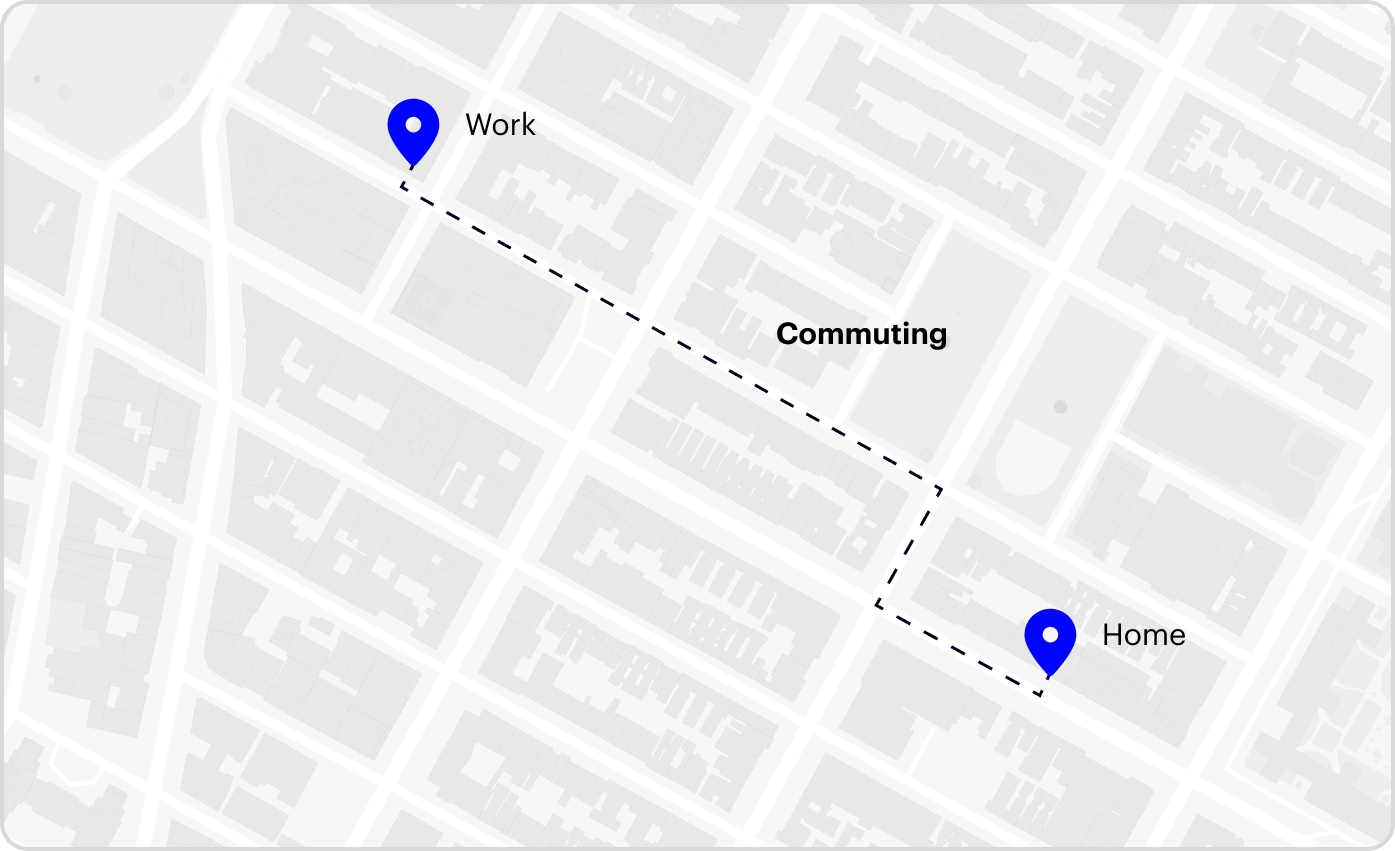
* **Commuting**: The user is along an inferred route between home and work.
Home and work are mutually exclusive. When the user matches both inferred areas, Radar selects the closer location.
Locations derived from user insights are probabilistic and can change as Radar receives more location history.
## User context
When user insights are enabled and Radar has inferred at least one usable home or work location, [track responses](/api#track) include a `locationInsights` object on the user:
```json theme={null}
{
"user": {
"locationInsights": {
"atHome": true,
"atWork": false,
"traveling": false,
"commuting": false
}
}
}
```
The `locationInsights` object is omitted when Radar does not have enough historical evidence to infer a usable home or work location. The `commuting` field can be omitted when commute status is unavailable.
Inferred home and work coordinates are not included in SDK responses.
## Events
Radar generates events when a user's location update changes the insight state:
* `user.entered_home`
* `user.exited_home`
* `user.entered_work`
* `user.exited_work`
* `user.started_traveling`
* `user.stopped_traveling`
* `user.started_commuting`
* `user.stopped_commuting`
For more information on how to receive events, see [event integrations](/integrations/integrations) and [webhooks](/integrations/webhooks).
User insights are calculated separately for the Test and Live environments. Use the Test environment while developing, then use the Live environment in production.
## Test user insights
Because user insights depend on historical patterns, they cannot be created from a single location update. After Radar has processed enough location history for a test user:
1. Open the [Simulator](https://dashboard.radar.com/geofencing/simulate) in the Radar dashboard.
2. Select the user and enable the *Insights* map layer to inspect the inferred home, work, and commute corridors.
3. Simulate location updates in and out of those areas.
4. Inspect `user.locationInsights` in the tracking response and verify state changes on the [Events page](https://dashboard.radar.com/geofencing/events).
## How it works
Radar processes recent stopped locations each day. It uses signals such as repeat visits and the local time of each visit to identify and rank likely home and work locations.
When Radar has sufficient confidence for an inferred location, new location updates begin producing the following insight states:
* **At home**: The user is within their inferred home bubble.
* **At work**: The user is within their inferred work bubble.
* **Traveling**: The user is far from their inferred home area.
* **Commuting**: The user is along an inferred route between home and work.
Home and work are mutually exclusive. When the user matches both inferred areas, Radar selects the closer location.
Locations derived from user insights are probabilistic and can change as Radar receives more location history.
## User context
When user insights are enabled and Radar has inferred at least one usable home or work location, [track responses](/api#track) include a `locationInsights` object on the user:
```json theme={null}
{
"user": {
"locationInsights": {
"atHome": true,
"atWork": false,
"traveling": false,
"commuting": false
}
}
}
```
The `locationInsights` object is omitted when Radar does not have enough historical evidence to infer a usable home or work location. The `commuting` field can be omitted when commute status is unavailable.
Inferred home and work coordinates are not included in SDK responses.
## Events
Radar generates events when a user's location update changes the insight state:
* `user.entered_home`
* `user.exited_home`
* `user.entered_work`
* `user.exited_work`
* `user.started_traveling`
* `user.stopped_traveling`
* `user.started_commuting`
* `user.stopped_commuting`
For more information on how to receive events, see [event integrations](/integrations/integrations) and [webhooks](/integrations/webhooks).
User insights are calculated separately for the Test and Live environments. Use the Test environment while developing, then use the Live environment in production.
## Test user insights
Because user insights depend on historical patterns, they cannot be created from a single location update. After Radar has processed enough location history for a test user:
1. Open the [Simulator](https://dashboard.radar.com/geofencing/simulate) in the Radar dashboard.
2. Select the user and enable the *Insights* map layer to inspect the inferred home, work, and commute corridors.
3. Simulate location updates in and out of those areas.
4. Inspect `user.locationInsights` in the tracking response and verify state changes on the [Events page](https://dashboard.radar.com/geofencing/events).